


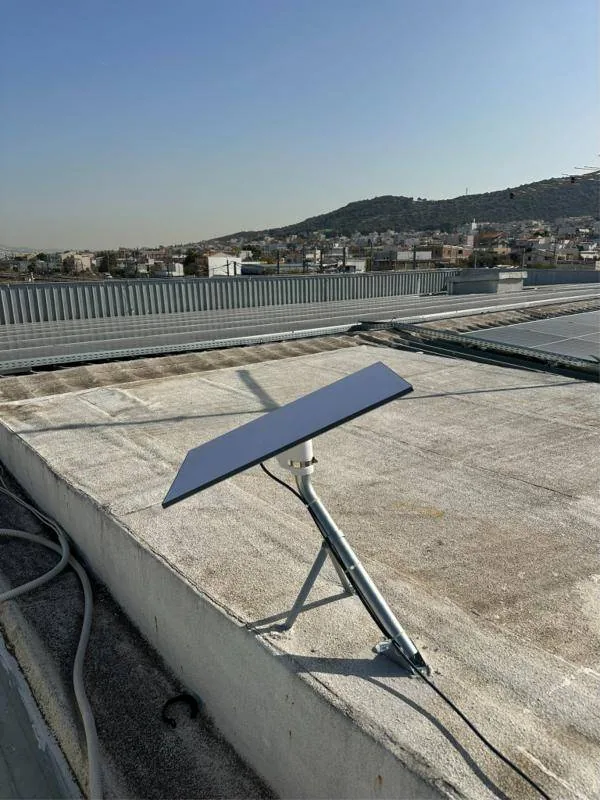
Most businesses rely on a single internet connection. While it works, nobody thinks about it. When a cable is cut in the street or the provider's equipment fails, the office or shop stops. A second, independent line is the simplest way to reduce that risk.
What failover means
Failover is the automatic switch to a backup connection when the main line stops working. The router constantly checks whether the main connection can reach the internet. If it cannot, the router sends traffic over the second line within a few seconds and returns to the main line once it is back.
A backup line only makes sense if it is truly independent. Two connections from the same provider, or over the same cable into the building, often fail together. This is where Starlink has a clear advantage: it uses no ground infrastructure on the way to your building.
Looking for a professional Starlink installation? We handle the site survey, mount, cabling and Wi-Fi anywhere in Greece.
What an outage costs
The cost of an outage varies a lot from business to business. The best way to estimate it is to do a simple calculation for your own case, before it happens.
- Which tasks stop without internet: card payments, issuing invoices and receipts, cloud ERP, email, VoIP phones, bookings.
- How many staff are left without work and what they cost per hour.
- How many sales or orders are lost per hour.
- Whether you have contractual obligations to customers, such as deliveries or reports at a set time.
An illustrative example: in an office of ten people working in the cloud, a half-day outage means five hours of lost work for ten people, plus any appointments or orders that get pushed back. Compare that amount with the cost of a second line for a year and you will quickly see whether it pays off.
Why Starlink as a backup line
- It is independent of the copper and fibre cables in your area.
- It installs quickly, even in buildings where a second wired line is difficult.
- It offers speeds that are enough for normal office work, not just the bare essentials.
- It also works at remote sites, such as warehouses, construction sites and out-of-town facilities.
There are also limits you should know about. The dish needs a clear view of the sky, with no trees or buildings in the way. Most plans do not include a public static IP, which affects services such as remote access to cameras or a server. These issues can be solved with the right setup, for example with a VPN, but you need to plan for them from the start.
How automatic switching works with a dual-WAN router
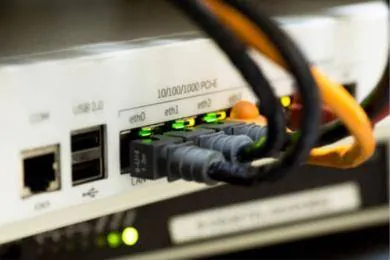
The heart of the solution is a router with two or more WAN ports. The main line (fibre or VDSL) connects to one and Starlink to the other, usually in bypass mode so your own router has full control. We use business-grade equipment, such as MikroTik, TP-Link or Cisco, depending on the size of the network.
- The router regularly sends test packets (ping) to well-known internet addresses over the main line.
- If several checks in a row fail, it treats the line as down.
- It changes the default route and traffic flows over Starlink.
- It keeps checking the main line and switches back once it is stable.
- It sends an alert by email or message, so you know you are working on the backup connection.
The check must go out to the internet, not just to the provider's equipment. The modem often looks connected while the line passes no traffic at all. A simple "is the port up" check is not enough.
Ask the router to alert you on every switch. Otherwise you may work on Starlink for days without knowing the main line has a problem.
Failover or load balancing?
With failover, the second line waits and only steps in when needed. With load balancing, both lines are used at the same time to share the traffic. For most small businesses, failover is enough and simpler to manage.
A middle ground is priority rules. For example, backups and large updates only use the main line, while during an outage Starlink carries only what matters: card terminals, invoicing, email and phones.
Do not forget the power
A backup line will not help if the router switches off. The router, the core switch and the Starlink power supply should be connected to a UPS. That way a short power cut does not bring down the network and you do not need to restart all the equipment.
Run a test every few months: unplug the main line for five minutes and check that card terminals, email and phones keep working.
The dish position matters as much as the router setup. A dish that "sees" half the sky will have frequent short dropouts, exactly when you need it. That is why we always start with a visibility check in the Starlink app at the installation spot.
Cost and next steps
Prices for Starlink equipment and plans change often, so check the current price on starlink.com. We include the cost of the equipment, the router and the installation in our written quote, so you know the total in advance.
CyberSpace Dynamics handles the whole solution: a site survey for the dish position, Starlink installation, dual-WAN router setup, priority rules, alerts and documentation. Our Custom package covers exactly these needs, with load balancing and site-to-site VPN where needed.