


Structured cabling
We run Cat6 or Cat6A cables through trunking or suspended ceilings, with network sockets at every workstation. Every line is numbered and tested with a cable tester before handover.
A network you never have to think about. We design and install your business network, from the cabling to the firewall. You get a tidy rack, stable Wi-Fi in every room and documentation that belongs to you.
A proper network installation fixes problems most people blame on their internet. Most problems we see in offices are not caused by the internet provider. They come from unlabelled cables, home routers trying to cover the whole space and a flat network where computers, cameras and guests all sit together. A proper network starts with a survey, not with buying equipment.
We handle the whole job: structured cabling, rack and patch panel, managed switches, VLAN separation, access points, firewall and VPN. We work with Ubiquiti UniFi, MikroTik and TP-Link Omada equipment, depending on your size and budget. At the end we hand over a network diagram, a port list and the admin passwords.
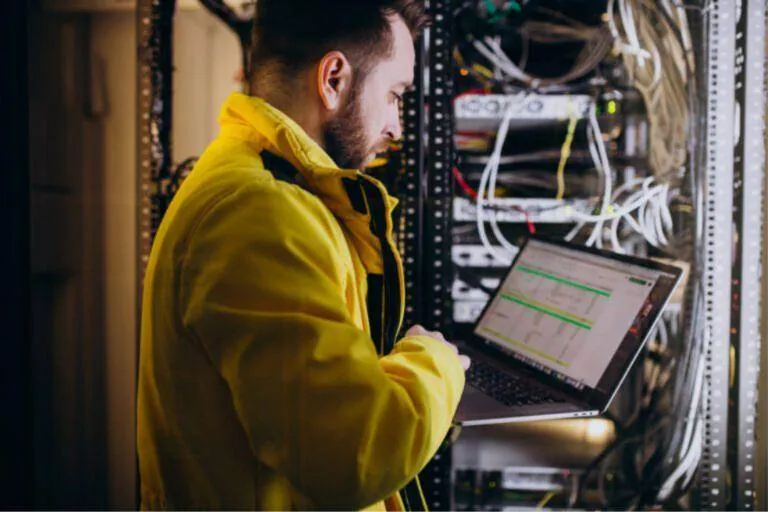
We run Cat6 or Cat6A cables through trunking or suspended ceilings, with network sockets at every workstation. Every line is numbered and tested with a cable tester before handover.
We organise your equipment in a wall-mounted or floor-standing rack, with a patch panel, cable managers and a UPS. When something needs changing, you find the right port in seconds.
We install managed switches that support VLANs and port monitoring. With PoE, access points, cameras and VoIP phones get power over the same cable.
We split the network into separate segments: staff, guests, cameras, printers and IoT devices. This way an infected guest laptop cannot see your server.
We install ceiling access points with central management and roaming between rooms. We set channels and power so they do not interfere with each other.
We set up a firewall with rules per VLAN and VPN for people who work from home. We connect branches with site-to-site VPN and, if you want, a second internet line for failover.
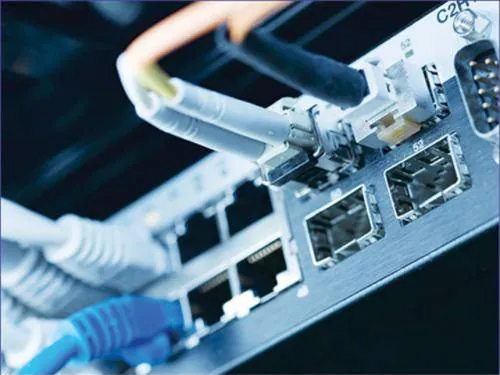
We measure the signal (RSSI) in every room and note walls, metal shelving and sources of interference. Based on the coverage map we decide how many access points you need and where, so you do not pay for equipment you do not need.
Indicative simulation. In a real survey we take measurements on site before installing any equipment.
We install networks in offices, shops, warehouses and business premises across Attica. We come to central Athens, Piraeus, Marousi, Kifisia, Chalandri, Glyfada, Mesogeia and Thriasio, and the areas around them.
Each area has its own needs. In the centre and in Piraeus we often find older buildings and shipping offices where cabling has to be run discreetly. In Marousi and Kifisia, corporate offices with many desks and meeting rooms. In Glyfada, shops and restaurants with Wi-Fi for customers. In Thriasio and Mesogeia, warehouses and logistics sites where Wi-Fi has to cover large spaces.
After installation, network management, changes and monitoring are handled remotely from anywhere in Greece. For businesses with branches we link every site with VPN, and where there is no good line we can add Starlink as the main or backup connection.
Send photos for an estimateWe design and install structured cabling in Cat6, Cat6A and fibre, with a tidy rack, a label on every outlet and every…
See the pageA business Wi-Fi installation starts with measurements, not with buying equipment. We place access points where they…
See the pageNetwork, Wi-Fi, internet, cameras, alarm, computers, email and phones. Instead of six different technicians who never…
See the pageWe visit your premises and record workstations, devices and existing equipment. We discuss what you will need in the coming years too.
We prepare a plan with cable routes and the positions of the rack and access points. The quote lists equipment and labour separately.
We run the cables, build the rack and install switches and access points. Where possible, we work outside business hours so your work does not stop.
We create VLANs, firewall rules, Wi-Fi networks and VPN accounts. We change all factory default passwords.
We test every socket, measure Wi-Fi in every room and test failover. We fix anything that falls short before handover.
We give you a network diagram, a port list and the admin passwords. We show your staff the basics, such as connecting guests.
Users no longer hunt for the desk with the good signal. Video calls and cloud applications work without dropouts.
Guests, cameras and IoT devices have no access to your data. Remote access only happens through VPN.
With a documented network and free ports, you can add a new workstation or camera without rebuilding anything.
Enter your own numbers. The calculation runs in your browser and nothing is stored.
CalculateCalculatorSmall daily problems add up to a big cost. Enter your numbers and see how much.
CalculateCalculatorHow many TB your cameras need for the days you want.
Open the calculator Comparison guideEach connection technology has different strengths and different limits. See when each one fits and when it is worth…
ReadComparison guideBoth cover large spaces with a single Wi-Fi network. The difference is in how the units connect to each other, and that…
ReadComparison guideYour files, email and applications can live in the cloud, on a machine in the office, or both. See what you gain and…
ReadCan't find what you're looking for? Call us or send us a message.
Book a site visit and we will give you a plan and a detailed quote for your premises.