


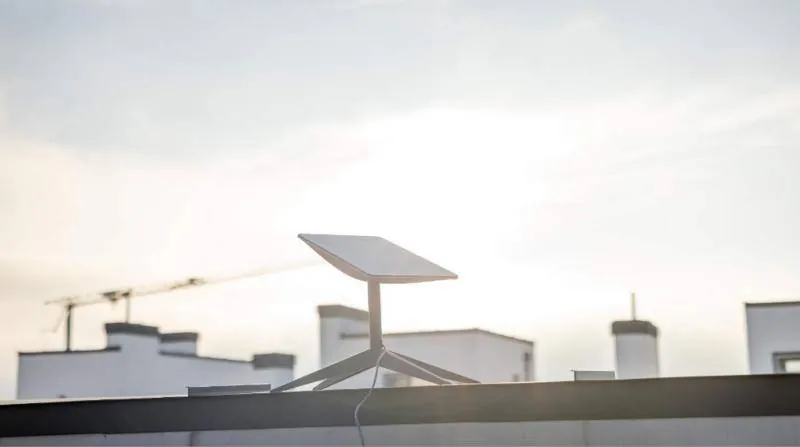
More and more homes and businesses outside cities are looking at Starlink for fast internet. The first question is almost always the same: how hard is the installation? The short answer is that the process is simple, but the result depends on a few right decisions.
The steps from order to connection
- Check availability: enter your address on starlink.com and see the plans on offer.
- Order: choose a plan and equipment and pay by card.
- Delivery: the kit includes the dish, the Wi-Fi router, the cables and the power supply.
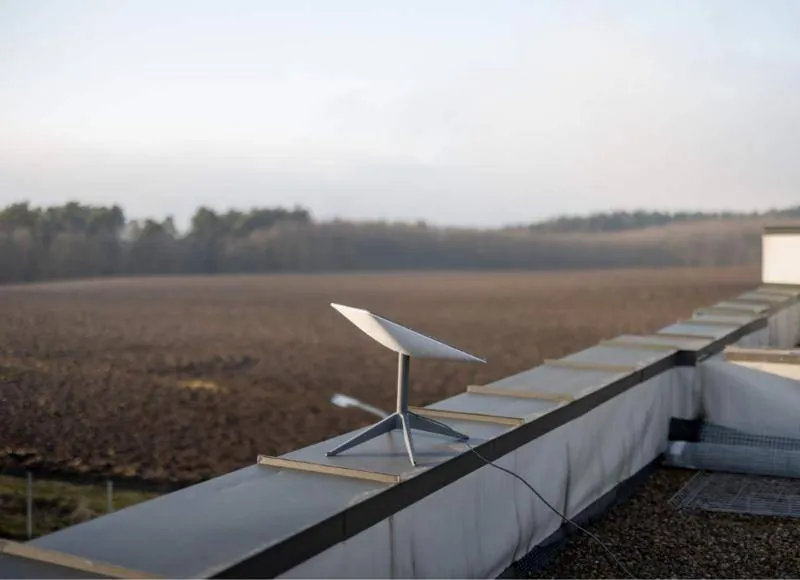
- Placement: the dish goes outdoors with a clear view of the sky and connects to the router by cable.
- Activation: use the Starlink app to link the equipment to your account and set up Wi-Fi.
In an open space with easy access and no obstructions, all this can be done in an afternoon. The difficulty starts when the dish has to go on a pitched roof, a mast or a flat roof and the cable has to run through walls.
Looking for a professional Starlink installation? We handle the site survey, mount, cabling and Wi-Fi anywhere in Greece.
The benefits
- Speed: good enough for streaming, video calls, remote work and cloud applications.
- Low delay: low-orbit satellites give much lower latency than older satellite systems.
- Coverage: it works in villages, on islands, on farms and in isolated houses where no fixed line reaches.
- Independence from local infrastructure: you need no phone line and no mobile mast nearby.
- Flexibility: you can use it as your main connection or as a backup line with failover.
The difficulties and limits
Starlink is not a magic fix for every case. It helps to know in advance what can affect your experience.
- Dish position: trees, buildings or parapets that block the sky cause short drop-outs.
- Local capacity: speed can vary with the number of users in the same area and the time of day.
- Weather: very heavy rain can lower performance for a while.
- Wi-Fi indoors: the kit router does not always cover large houses or multi-storey buildings.
- Power use: in places running on solar panels or a generator, you need to plan for it.
If your property already has a slow wired line, do not cancel it straight away. Keep it as a backup for the first few months and decide once you see how Starlink performs in practice.
How to overcome most difficulties
Most problems are solved with good planning before the installation. An obstruction check with the app, a solid mount in a high spot and proper Wi-Fi coverage indoors make the biggest difference.
- A metal mount or mast to clear obstructions.
- A watertight cable entry, with no kinks.
- A Wi-Fi mesh system or wired access points for large spaces.
- A business router for load balancing and failover in companies.
Before mounting, go up to the spot you have in mind and run the app's obstruction check. If the result shows obstructions, look for another spot before you drill any holes.
What to expect in the future
Starlink keeps launching satellites and upgrading its network and equipment. Other companies are also building their own low-orbit satellite networks. For users in remote areas, this means more choice in the years ahead.
Home or business: what changes
In a home, the dish, the kit router and, in large houses, a Wi-Fi mesh system are usually enough. The main goal is a stable connection for streaming, video calls and remote work in every room.
A business has different needs. The connection must fit into the existing network, with a firewall, VLANs and separate guest Wi-Fi. A second line is often needed too, so work does not stop if one goes down.
- Home: the right dish position, good Wi-Fi coverage, simple management from the app.
- Business: a business router, failover or load balancing, separate networks.
- Remote business sites: a site-to-site VPN to the head office.
- Sites with cameras or sensors: connection through a switch, often with PoE, and a UPS for power cuts.
The same applies in every case: a site check before you order shows what equipment you need, so you avoid buying things you will not use.
Installation by CyberSpace Dynamics
If you would rather not do it yourself, CyberSpace Dynamics handles the installation anywhere in Greece. We have installed Starlink in homes and businesses, from houses in Loutraki and Saronida to companies such as MarsTissue SA. Our packages range from basic mounting to solutions with Wi-Fi mesh, load balancing and VPN.