



A disk that fails, a laptop that gets stolen, a file deleted by mistake or a ransomware attack. All of these happen to businesses of every size. The difference between a bad day and a real disaster is usually a proper backup.
What the 3-2-1 rule says
The 3-2-1 rule is a simple and widely accepted practice. It does not need a particular product, just good organisation.
- 3 copies of your data: the originals and two backups.
- 2 different storage media, for example a NAS in the office and space in the cloud.
- 1 copy off site, so a fire, theft or flood cannot destroy them all at once.
Many now add two more elements, known as 3-2-1-1-0. The extra "1" is an offline or immutable copy that cannot be changed or deleted. The "0" means zero errors when you test a restore.
The NAS in the office
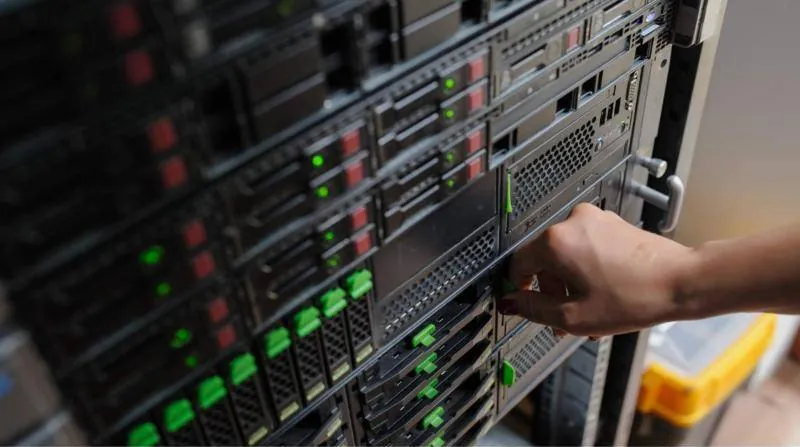
A NAS is a small storage server with two or more disks. It usually runs in RAID, so if one disk fails the data stays available. It is fast, because it sits on the local network, and ideal for quickly restoring a file or a whole computer.
But be careful: RAID is not a backup. It protects against disk failure, not against deletion, theft or ransomware. If someone deletes a folder, RAID deletes it instantly from every disk.
Turn on snapshots on the NAS. They are point-in-time copies of the file system taken at regular intervals, and they let you roll a folder back to how it was a few hours or days ago.
The copy in the cloud
The second medium and the off-site copy are usually space in the cloud. The NAS or backup software sends data there automatically, encrypted, every night or more often. We use solutions such as Veeam and Acronis, and infrastructure such as Azure, AWS or Hetzner, depending on volume and needs.
Do not forget that data already living in the cloud needs backing up too. In Microsoft 365, for example, Microsoft looks after the availability of the service, but protection against deletions, user mistakes and malicious actions is mainly your responsibility.
Ransomware: why you need a copy nobody can touch
Ransomware encrypts your files and demands a ransom. Modern attacks also look for backups and try to delete or encrypt them first. If the NAS is a shared folder open to every computer, it is just as much at risk as the originals.
- A separate account for backups, used for nothing else.
- Backups that do not appear as a network drive on computers.
- Immutable backups in the cloud for a set period.
- An offline copy, for example an external disk that gets disconnected, for the most critical data.
- MFA on the backup management console and the cloud account.
The restore test
A backup that has not been tested is just a hope. Many businesses discover at the moment of need that the backup stopped months ago, that a critical folder was missing or that the restore takes much longer than they thought.
- Every month: restore a few random files and check they open.
- Every few months: restore a whole folder or a database to a test location.
- Once a year: test restoring an entire server or computer and measure how long it takes.
Set the backup software to email you on every failure and send a summary every week. Silence does not always mean everything is fine.
How often and for how long
Two questions shape the right plan. How much data can you afford to lose: an hour of work or a whole day? And how quickly do you need to be up and running again? The answers show how often the backup should run and how fast the restore needs to be.
Also decide how far back you keep copies, for example daily copies for a few weeks and monthly ones for longer. That way you can restore a file even if you notice the problem late. For data with personal details or accounting records, check with your accountant or legal adviser what applies to keeping them.
What to do this week
- Write down where your critical data lives: server, NAS, computers, cloud, ERP.
- Check whether each one has a backup and when it last ran successfully.
- Restore one file from the backup to see that the process works.
- Note what is missing to meet the 3-2-1 rule and put it in order of priority.
This simple exercise often reveals gaps nobody had noticed, such as a laptop with important files that has no protection at all.
How we help
CyberSpace Dynamics designs and installs backup solutions for businesses: a NAS in the office, copies in the cloud, Microsoft 365 backup, alerts and a documented restore process. We can also take care of regular monitoring and restore tests, so you know your backup works before you need it.