


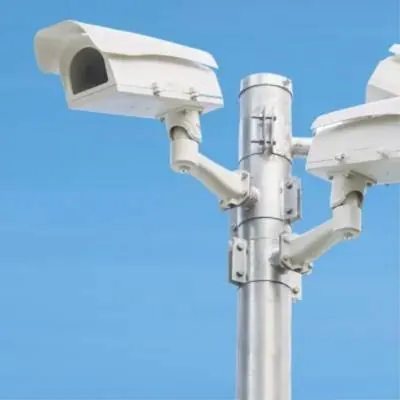
A camera system (CCTV) is one of the most useful security measures for a shop, a warehouse or an office. But an image of a person's face is personal data. This means installing and using cameras must follow the GDPR and the guidance of the Hellenic Data Protection Authority (HDPA).
This article gives general guidance based on what is widely accepted. It is not legal advice. Every space has its own specifics, so for your own case check with your legal adviser and read the HDPA's current guidance at dpa.gr.
Start with the purpose
Every camera needs a clear and lawful purpose, such as protecting people and property from theft or vandalism. The purpose decides where cameras go, what they see and how long you keep the footage. Write it down in a short document before installation.
The principle of data minimisation applies everywhere: record only what you need for your purpose. More cameras or a wider angle do not necessarily mean better security, but they do mean more data you have to protect.
Signage
People entering a recorded area must know about it before they enter. That is why you need a visible sign before the area the cameras cover, not one hidden behind the door.
- Who the data controller is, meaning your business.
- What the purpose of the recording is.
- How someone can contact you about their rights.
- Where to find fuller information, for example in a leaflet at the till or on a page of your website.
Put the sign at eye level, before the entrance. A sign that cannot be read from the door does not really inform anyone.
Where cameras may point
Cameras should cover the spots that really need protection. Usually these are entrances and exits, the till, storerooms, areas with expensive equipment and the outside of the building.
There are, however, areas and directions that should generally be avoided:
- Toilets, changing rooms and staff rest areas.
- The public road and pavement, beyond what is strictly necessary near your entrance.
- Neighbours' entrances, windows and yards.
- Workstations, where the aim is to monitor staff performance or behaviour.
Most IP cameras have a privacy mask feature. With it you "black out" parts of the image that must not be recorded, such as a neighbour's window. Audio recording is generally not allowed, so turn off the cameras' microphones.
Informing your staff
Staff must be informed in writing about the system: where the cameras are, for what purpose and how the footage is used. Cameras must not be used to assess staff performance. This is one of the most sensitive points and worth reviewing carefully with your legal adviser.
How long to keep footage
Footage should be kept only for as long as its purpose requires. The HDPA has issued guidance on retention periods, which are generally short. You will find the exact period in its current guidance. If an incident occurs, the relevant clip can be kept longer so it can be handed to the authorities.
The retention period is set on the NVR: once the period you set has passed, older footage is deleted automatically. Confirm with your legal adviser the period that applies to you and ask your technician to set it exactly that way.
Do not buy disks "to hold months". Size the storage for the period that is allowed and set automatic deletion from day one.
Who has access to the footage
Access to live images and recordings should be limited to a few named people. Footage is given to third parties only when there is a legal basis, for example to the police for an incident. In addition, anyone who has been recorded has the right to request access to their images.
- Personal NVR accounts for each user, not a shared password.
- Strong passwords, with the defaults changed on cameras and the NVR.
- The NVR in a locked rack or cabinet.
- Cameras on a separate VLAN, with no direct access from the internet.
- Remote viewing only through a VPN or the manufacturer's secure app.
- A log of every footage export: when, which clip, and to whom it was given.
Before installation: a short checklist
- Have you written down the purpose of the recording and which areas it covers?
- Have you checked that no camera sees the street, neighbours or staff areas without reason?
- Is the sign ready, along with the fuller information notice?
- Have you decided on a retention period and who will have access?
- Have your staff been informed in writing?
If the answer to any question is "no", it is better to sort it out before the cameras go up. Moving a camera after installation costs more than getting the design right from the start.
How we help
CyberSpace Dynamics designs and installs CCTV systems with IP cameras and NVRs, with GDPR requirements in mind from the start. We suggest positions and angles, and set up privacy masks, retention periods, user accounts and secure remote access.
We do not give legal advice. But we work with your legal adviser or data protection officer, so the system puts into practice what has been decided.